A social media content calendar is a table that lists every post you plan to publish, with its date, platform, content angle, format, hook and status. For short-form video (TikTok, Instagram Reels, YouTube Shorts), the useful version is small: one row per post, a fixed weekly rhythm of angles and formats, and a status column that tells you at a glance what is ready and what is not. You fill it in once a month, produce in batches, and spend the rest of the time posting and reading the results.
This guide gives you the columns to use, three ready-to-copy weekly templates (three posts a week, five a week, and daily), a batching workflow to plan a month in about an hour, the recurring series and key dates worth planning around, and a way to stay flexible when a trend shows up on a Tuesday.
What should a social media content calendar include?
Most calendar templates online were designed for long captions and static images. Short-form needs fewer columns, but different ones: the hook and the format matter more than the copy, because they decide whether anyone watches past the first second. Here are the eight fields that cover almost every case.
| Column | What to write | Example |
|---|---|---|
| Date and time | The day it goes live, and the slot if you schedule | Tue 3 Nov, 6 pm |
| Platform | Where it goes. One vertical video often covers all three | TikTok + Reels + Shorts |
| Pillar or angle | The recurring theme the post belongs to | Myth vs reality |
| Format | The shape of the post | Carousel, wall of text, meme, demo |
| Hook | The first line on screen, written out in full | "Stop posting at 9 am. Here's why." |
| Status | Where the post is in the pipeline | Idea, Draft, Approved, Scheduled, Published |
| Caption | Short caption, call to action, a few hashtags | "Save this for your next launch" |
| Asset link | Where the file lives | Link to the video or the slides |
Two columns are optional but pay off after a few weeks: a "Result" column (views, saves, follows after seven days) and a "Notes" column for what you would change next time. They turn the calendar into a record of what works, not only a to-do list.
Content calendar templates for 3, 5 or 7 posts a week
The easiest way to fill a calendar is to stop deciding from scratch. Give each weekday a fixed angle and a fixed format, then only the topic changes from week to week. Pick the cadence you can actually hold: our guide on how often to post on TikTok, Reels and Shorts explains why three to five posts a week per platform is a sound start. The angles below are examples for a small brand or a founder; swap them for your own.
Template 1: three posts a week
| Day | Angle | Format | Example hook |
|---|---|---|---|
| Monday | Practical tip | Carousel | "5 things to do before you run ads" |
| Wednesday | Story or lesson | Wall of text | "Nobody showed up on launch day. Here's what I changed." |
| Friday | Product in action | Hook + demo | "This takes me 10 seconds now" |
Template 2: five posts a week
| Day | Angle | Format | Example hook |
|---|---|---|---|
| Monday | Practical tip | Carousel | "The checklist I use before every launch" |
| Tuesday | Myth vs reality | Wall of text | "You don't need more followers. You need this." |
| Wednesday | Product in action | Hook + demo | "Wait, it does that on its own?" |
| Thursday | Customer problem | UGC with an AI influencer | "I tried three tools before this one" |
| Friday | Humor | Green screen meme | "Me pretending the launch went fine" |
Template 3: one post a day
| Day | Angle | Format | Example hook |
|---|---|---|---|
| Monday | Practical tip | Carousel | "3 settings everyone forgets to change" |
| Tuesday | Myth vs reality | Wall of text | "Posting every day won't fix this" |
| Wednesday | Product in action | Hook + demo | "Watch me do a week of work in one minute" |
| Thursday | Customer problem | UGC with an AI influencer | "POV: you finally found a routine that sticks" |
| Friday | Humor | Green screen meme | "When the client says 'small change'" |
| Saturday | Behind the scenes | AI video | "What building this actually looks like" |
| Sunday | Recap or best-of | Carousel | "The 4 ideas that worked this week" |
Notice that the formats repeat on purpose. A fixed mix is easier to produce, and it lets you compare like with like: if Tuesday walls of text keep beating Monday carousels, you will see it within a month. If you are not sure which angles to put in the second column, start with three to five content pillars and rotate them across the week.
How do you plan a month of content in about an hour?
Planning is fast when it is separated from production. The mistake is to open the calendar, think of one idea, make the video, then come back for the next one. Instead, do each kind of work in one block. Here is a one-hour planning session for a month at five posts a week (about twenty posts).
- Review last month (10 minutes)Sort last month's posts by views and saves. Note the three best hooks and the formats that underperformed. This decides what you do more of.
- Mark the fixed dates (5 minutes)Add launches, events, promotions and seasonal dates to the month view. These rows are decided before anything else.
- Paste your weekly rhythm (5 minutes)Copy your template across the four weeks so every slot already has an angle and a format.
- Brainstorm topics per angle (20 minutes)For each angle, list five or six topics in one go. Pull from customer questions, comments, sales calls and last month's winners. Short of topics? Start from these TikTok content ideas for businesses, sorted by goal.
- Write every hook (15 minutes)Drop a topic into each slot and write its hook in full. Write two versions for the posts that matter most, and keep the spare for a later test.
- Set statuses and production slots (5 minutes)Everything is now "Idea". Block one or two production sessions in your own calendar to move posts to "Draft".
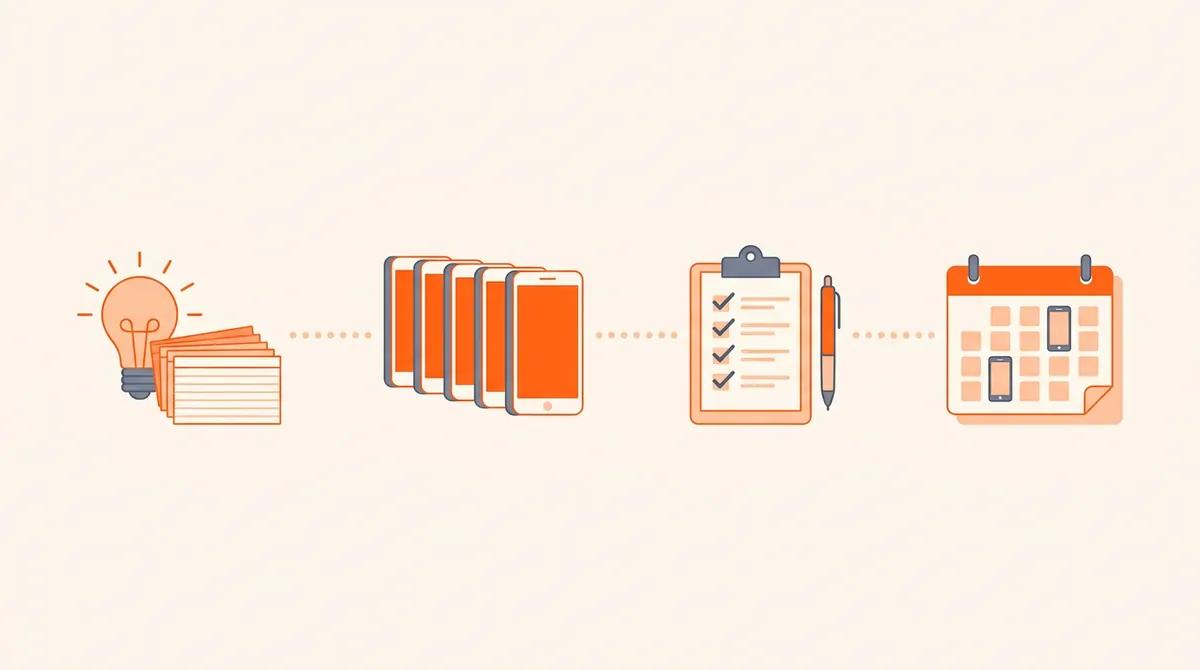
Production then happens in batches too: one session for all the carousels, one for the videos. Aim to keep at least a week of approved posts ahead of the calendar. A busy week then has no effect on what goes out.
Which recurring series and key dates should you plan around?
Recurring series and theme days
A series is a post you can repeat with a new topic every week: "Myth Monday", "Tool of the week", "Customer question Friday", "Day 12 of building in public". Series help on both sides. For you, they remove a decision. For viewers, they create a reason to come back, and a good episode sends people to the previous ones. Keep the same opening line or visual so an episode is recognizable in the first second, and number episodes when the order matters.
- Myth Monday
- Tool of the week
- Customer question
- Build in public, day N
- Before / after
- Friday meme
Seasonal and key dates
Key dates are worth planning two to three weeks ahead, because the posts that perform around them usually go out before the day, not on it. Only keep the dates that make sense for your audience; a B2B tool has little to say about Halloween, but a lot to say about planning season in January.
| Date | When | Post idea |
|---|---|---|
| New Year | 1 January | Goals, routines, "what I'd do differently" |
| Valentine's Day | 14 February | Gift ideas, playful takes on your niche |
| Mother's Day | Second Sunday of May in the US and many countries (9 May 2027); in March in the UK | Gift guides, stories |
| Back to school | Late August to September | Fresh-start routines, setup checklists |
| Halloween | 31 October | Memes, "scariest mistake" stories |
| Black Friday and Cyber Monday | 27 and 30 November 2026 | Offers, countdowns, buying guides |
| End of year | December | Recaps, best-of, lessons of the year |
Which tool should you use for your content calendar?
The best tool is the one you open every week. Four honest options, from the simplest to the most automated:
If you use native scheduling, read each platform's rules once. YouTube, for example, documents how to schedule a video's publish time in YouTube Studio, and each platform has its own limits on how far ahead you can plan.
How do you stay flexible for trends?
A calendar that is full to the minute breaks the first time a trend appears. Leave room on purpose: keep one open slot a week (or swap one planned post) for something reactive, and make sure planned posts are evergreen enough to move by a week without losing anything. When a trend fits one of your angles, use it in your usual format rather than inventing a new one under time pressure. If it does not fit any angle, let it go.
The review loop
Once a week, spend fifteen minutes filling the "Result" column for posts that are at least seven days old. Once a month, look for patterns: which angle, which format, which hook style. Then adjust the template itself. A Thursday slot that never performs gets a new angle; a format that keeps winning gets a second day. That is the real job of a content calendar: not to look organized, but to make each month a little better than the last.
If filling the slots is where you get stuck, this is what Bloomr is built for: booking your content for the week in no time. Each brand has editorial lines that hold its content angles, its format mix and its language. Auto Gen drafts posts one after another from those angles, in your mix of carousels, walls of text, green screen memes, AI videos, hook + demo videos and UGC with AI influencers. You keep, edit or skip each one, then either schedule it for a date and time, after which it is published automatically, or publish it directly to TikTok, Instagram and YouTube Shorts. Your calendar stays the plan; the drafts stop being the bottleneck.