An AI UGC video is a short vertical video in the user-generated style (a person filming themselves on a phone, in a real-looking room, talking about a product or reacting to something) where the person on screen is generated by AI instead of filmed. To make one, you pick a face, generate a first frame of that face in a believable scene, animate it into a few seconds of selfie-style video, then add the hook, the product and the captions in an edit.
It works best as the opening of a video, not as the proof. The AI person stops the scroll; your real product, your real screen or your real results do the convincing. This guide covers the formats, a step-by-step workflow, what makes AI UGC convert or look fake, the labelling rules on TikTok and Instagram, and when you are better off paying a real creator.
What is an AI UGC video?
UGC used to mean content made by customers. In marketing it now mostly describes a look: handheld, natural light, eye contact with the camera, no studio. If the term itself is new to you, our guide to UGC videos covers what UGC is and how brands work with real creators. AI UGC keeps the look and replaces the filming. In practice, the label covers three quite different things.
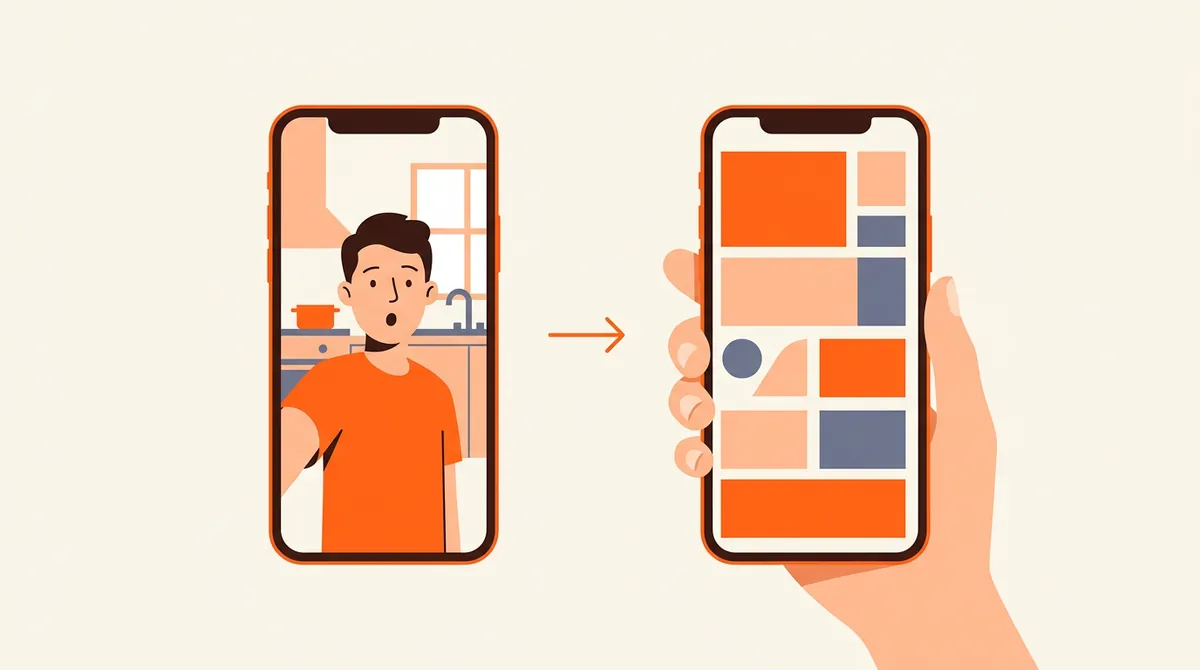
The second and third types are the most forgiving. A silent reaction with text on top avoids the hardest problem in generated video (natural speech), and a hook + demo keeps the synthetic part to the moment where attention is won, not the moment where trust is earned.
- AI UGC
- AI UGC ads
- AI avatar videos
- Synthetic creators
How do you make an AI UGC video, step by step?
Tools change every few months. The order of operations does not, and getting it right saves most of the wasted generations.
- Write the hook before anything elseThe first line decides whether anyone watches. Write it as the viewer would say it ("I didn't know my phone could do this", "Stop paying for three apps"), then decide what the person on screen should be doing while that line sits on top.
- Choose one face and keep itUse the same generated person across your videos so the account feels like it has a host, not a new stranger every day. Pick an ordinary, believable face rather than a model shot. Building that recurring character is covered in our guide on how to create an AI influencer.
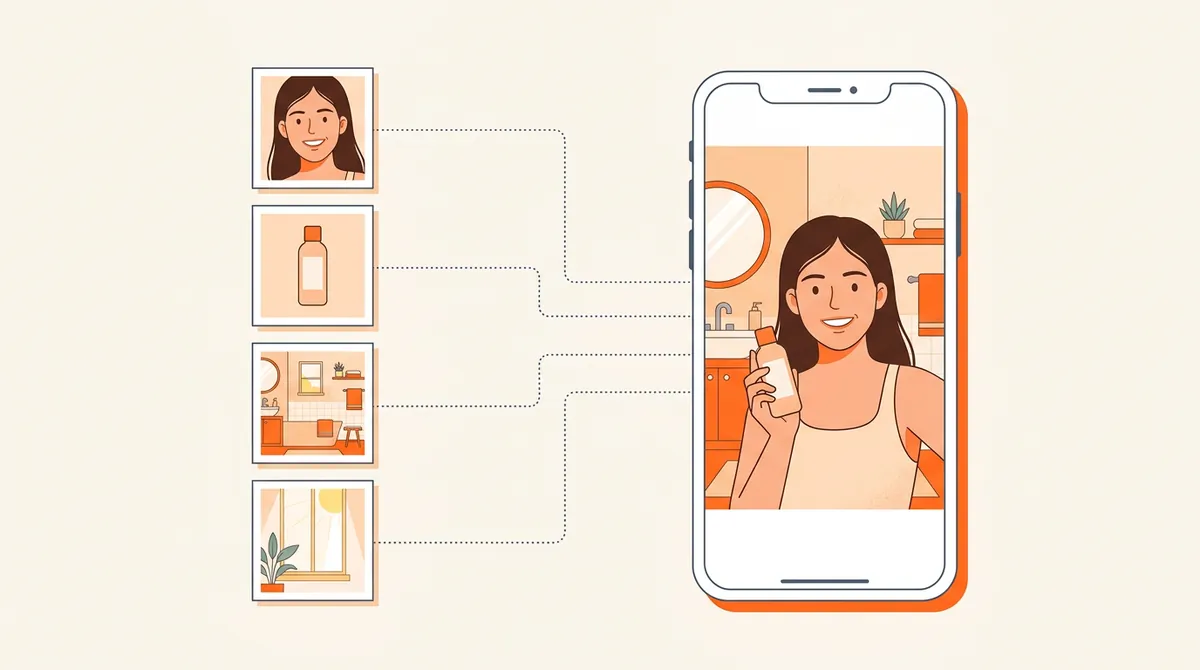
- Compose the first frame from imagesInstead of describing everything in a prompt, start from images: the face, your product, a setting. The image model combines them into one still frame of that person in that place, holding that object. Check the frame closely (face, hands, product shape) before going further.
- Animate a short clipTurn the frame into four to eight seconds of handheld, selfie-style motion: a slight camera shake, a natural expression, one simple gesture. Short clips drift less. Generate several takes and keep the one where the face stays the same from start to end.
- Add the messagePut the hook as on-screen text in a native caption style, add a line or a wall of text if the video tells a story, and choose music. If you add a voice, listen to it twice: a flat synthetic voice undoes everything the visuals achieved.
- Cut to the proofFor product content, follow the clip with the real thing: a screen recording of your app, your physical product being used, a real before and after. Then label the video as AI-generated when you post it (see below).
What to put in the prompt
When you describe the scene, describe a phone video, not a photo shoot. The difference between "UGC" and "ad" is mostly in these details.
| Element | Reads as UGC | Reads as an ad |
|---|---|---|
| Camera | Front camera at arm's length, slight shake, vertical | Smooth tracking shot, perfect framing |
| Light | Window light, a lamp, uneven shadows | Even studio lighting, glowing skin |
| Setting | A lived-in kitchen, a car, a bathroom shelf with clutter | Empty, spotless, color-matched interiors |
| Person | Ordinary face, casual clothes, natural expression | Model looks, styled hair, fixed smile |
| Action | One simple gesture: a reaction, pointing, holding the product up | Complex choreography, several actions in one take |
What makes AI UGC convert, and what makes it feel fake?
The feed does not reward a video for being real or synthetic. TikTok, Reels and Shorts distribute a video based on how people react to it: do they stop, watch, rewatch, share. So AI UGC succeeds or fails on the same things as any short video, plus one extra risk: the moment a viewer notices the AI and feels tricked, they leave and sometimes say so in the comments.
That risk is real: a viewer who spots a generic AI video does not just scroll past it, they remember the brand behind it. The answer is not to hide the AI better. It is to use it where it helps and to keep the substance real.
| Tends to work | Tends to feel fake |
|---|---|
| A short reaction or gesture under a strong text hook | A long monologue with lip-synced speech |
| The AI person introduces, the real product proves | The AI person claims results ("I lost 5 kg", "my skin cleared up") |
| The same recognisable face across a series | A new generic face in every video |
| Ordinary settings and imperfect light | Glossy skin, perfect teeth, spotless rooms |
| One clear idea per video, matched to a content angle | Generic scripts that could fit any brand |
| Many hook variations tested, winners kept | One "perfect" video polished for days |
The testimonial line you should not cross
An AI person can explain a product, react to a problem, show a routine or ask a question. It should never present itself as a real customer describing a real experience. A testimonial from someone who does not exist is a fake review, whatever the format. In the US, the FTC's 2024 rule on consumer reviews and testimonials explicitly bans reviews attributed to people who do not exist, including AI-generated ones, and most consumer protection laws reach the same result.
Do you have to label AI UGC on TikTok and Instagram?
Yes, in practice. AI UGC is by design realistic footage of a person who does not exist, which is exactly what platform AI labels are for. Make labelling part of the posting routine rather than a decision you take video by video.
| Where | The rule | What to do |
|---|---|---|
| TikTok | Creators must label AI-generated content that shows realistic images, audio or video. TikTok can also add the label itself when it detects AI content, for example through Content Credentials metadata (TikTok Support). | Turn on the "AI-generated content" toggle in the post settings. |
| Instagram and Facebook | Meta requires its disclosure tool for organic posts with photorealistic video or realistic audio that was digitally created or altered, and may apply penalties if people do not use it (Meta newsroom). Since July 2024 the label reads "AI info". | Switch on the AI label in the advanced settings before sharing. |
| YouTube Shorts | Creators must disclose realistic altered or synthetic content at upload. | Answer "yes" to the altered or synthetic content question. |
| European Union | Article 50 of the AI Act applies from 2 August 2026: AI-generated "deep fakes" must be disclosed as such. | A visible mention in the video or the caption, on top of the platform label. |
Two practical notes. First, a label does not hurt reach by itself: what hurts is a video people feel lied to about. Second, ads follow their own rules: if you boost an AI UGC video, use the AI disclosure in the ad tool too. If you target France, commercial content showing an AI-generated face also needs the mention "Images virtuelles".
AI UGC or real creators: when is each the right call?
AI UGC does not replace real creators. It changes what you need them for. The useful question is which part of your content needs a real human, and which part only needs a human face.
Many brands end up with a simple split: AI UGC for the daily stream of hooks, demos and tips, real creators for the few videos that need a real experience behind them, and paid budget only on the videos that already proved themselves organically.
If you want that daily stream without assembling it by hand, this is what Bloomr's AI UGC video generator does. In the AI Studio, you create an AI influencer once, a recurring character with a fixed face, and Bloomr films UGC-style selfie videos of that same person. A video can start from up to four images from your library: the first frame is composed from them, then animated. The Hook + demo format puts a hook over a UGC video, then your product demo, and the posts publish directly to TikTok, Instagram and YouTube Shorts. The labels and the honesty of the message stay your job; the filming no longer does.