The best TikTok content ideas for a business are the ones tied to a goal: reach new people (awareness), make them believe you (trust), teach them something (education), show the product doing its job (conversion) and get them talking (community). Below are 50 ideas sorted by those five goals, each paired with the format that suits it best: carousel, wall of text, green screen meme, UGC-style video or hook + demo.
Most lists of "what to post on TikTok as a business" stop at a flat bullet list. The problem is not finding an idea, it is knowing which one to post this week and how to make it. So each section below starts with the goal, then gives you ten ideas you can adapt to your business in a few minutes, and the article ends with a weekly mix that turns the list into a plan.
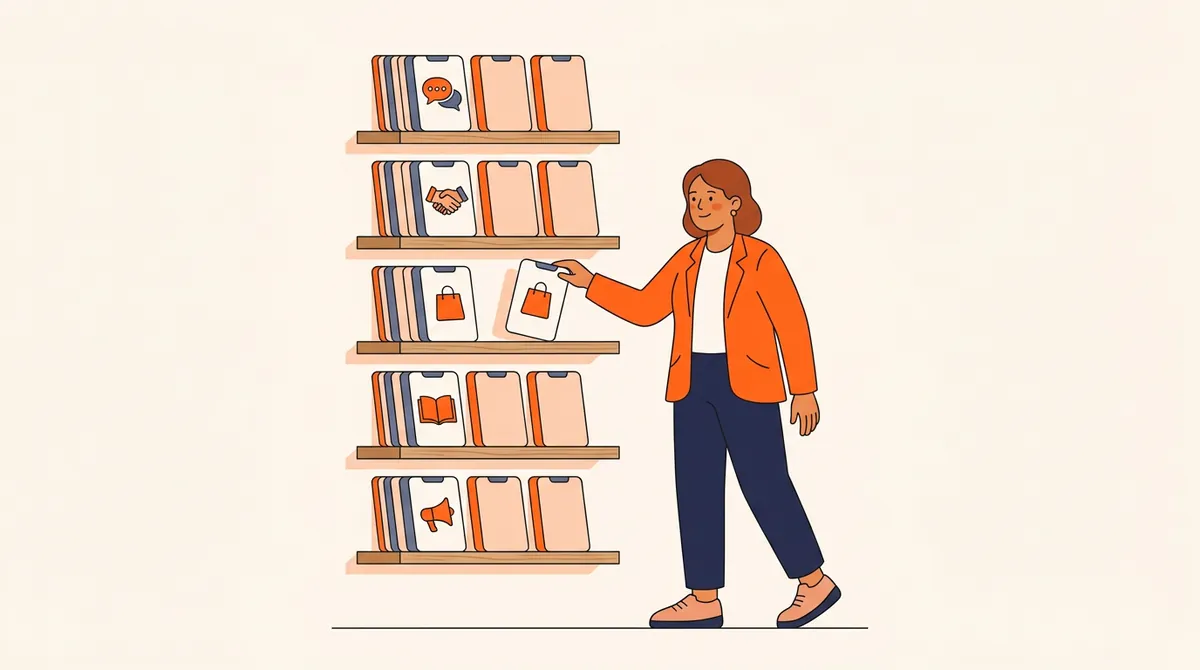
How do you choose TikTok content ideas for a business?
Start from the goal, not from the idea. A meme that gets 50,000 views and zero profile visits is a success if you needed reach and a failure if you needed sales. Each goal has its own signal in your analytics, and its own formats that tend to serve it.
| Goal | What the viewer should think | Signal to watch | Formats that fit |
|---|---|---|---|
| Awareness | "That is so me." | Views, shares, new viewers | Green screen meme, wall of text |
| Trust | "These people are real." | Follows, profile visits | Wall of text, UGC-style video |
| Education | "I learned something." | Saves, watch time | Carousel, wall of text |
| Conversion | "I want that." | Link clicks, DMs, sales | Hook + demo, UGC-style video |
| Community | "I have something to say." | Comments, replies, duets | UGC-style video, carousel |
If you already have content pillars (the three to five themes your account talks about), this list is the next layer: each idea below can be run inside any of your pillars. A skincare brand and a project management app can both post "the five mistakes beginners make"; the pillar decides the topic, the idea decides the shape of the post.
- Carousel
- Wall of text
- Green screen meme
- UGC-style video
- Hook + demo
50 TikTok content ideas for businesses, by goal
Replace the brackets with your audience, your job or your product. Every idea works for a product brand, a service business or an app, with small adjustments.
Awareness: ideas to reach people who do not know you yet
Awareness posts are not about you. They are about a feeling or a situation your future customers recognize, which is what makes them share. Keep the brand in the background: a logo on the last frame or a product in the shot is enough.
| # | Idea | Best format |
|---|---|---|
| 1 | "Things only [your customers] understand": a daily frustration of your audience, played for laughs | Green screen meme |
| 2 | "POV: you are the customer who…" with a situation your buyers recognize instantly | Green screen meme |
| 3 | An unpopular opinion about your industry, explained in 20 seconds | Wall of text |
| 4 | Myth or fact: three beliefs in your niche, one slide each | Carousel |
| 5 | A tier list of the tools, methods or products people use in your field | Carousel |
| 6 | "Things I would never do as a [your job]", the insider version | Wall of text |
| 7 | A satisfying process shot: making, cutting, packing, setting up | UGC-style video |
| 8 | A before and after that your product or service makes possible | Hook + demo |
| 9 | A trend or sound that is rising in your industry, adapted to your context | UGC-style video |
| 10 | A day in the life of your customer, told from their side, not yours | Wall of text |
Trust: ideas that show there are real people behind the brand
TikTok's own business team recommends building trust by sharing your brand's character, beliefs and mission, showing behind-the-scenes content and inviting people into your journey (TikTok for Business, organic content tips). These are the posts that turn a viewer who liked one video into a follower.
| # | Idea | Best format |
|---|---|---|
| 11 | Why the business exists: the problem the founder hit first | Wall of text |
| 12 | Behind the scenes of one order, from click to doorstep | UGC-style video |
| 13 | A mistake you made, what it cost and what you changed | Wall of text |
| 14 | Meet the team: one person, one job, thirty seconds | UGC-style video |
| 15 | Monthly numbers or milestones, shared openly | Carousel |
| 16 | A stress test of the product: drop it, fill it, run it for a week | Hook + demo |
| 17 | What you refuse to do, and why (ingredients, shortcuts, pricing tricks) | Wall of text |
| 18 | A customer case: the situation, what they did, the result | Carousel |
| 19 | A real review read out loud, then your reaction | Green screen meme |
| 20 | Answering a criticism or a negative comment head-on | UGC-style video |
Education: ideas people save and come back to
Educational posts earn saves, and a save says "this was worth keeping". Narrow beats broad: "how to price a freelance logo" will outperform "pricing tips", because the viewer immediately knows whether it is for them.
| # | Idea | Best format |
|---|---|---|
| 21 | A five-step how-to that solves one narrow problem | Carousel |
| 22 | The five mistakes beginners make in your field | Carousel |
| 23 | "Do this, not that": one wrong habit and its fix | Carousel |
| 24 | A checklist people will want to save for later | Carousel |
| 25 | One term from your industry, explained without jargon | Wall of text |
| 26 | A study or a number from your field, and what it means in practice | Wall of text |
| 27 | "If I started again today, here is what I would do" | Wall of text |
| 28 | The question you hear most on sales calls, answered in full | UGC-style video |
| 29 | The tools you use every day and what each one does | Hook + demo |
| 30 | A teardown of a good (or bad) example in your niche | Carousel |
Conversion: ideas that show the product doing its job
A conversion post on TikTok is not an ad with a voice-over. It is a demonstration that starts with the viewer's problem and only then shows the product. If the first seconds talk about your brand, people scroll; if they show a problem they have, people wait for the fix.
| # | Idea | Best format |
|---|---|---|
| 31 | One specific problem, solved by the product in under 30 seconds | Hook + demo |
| 32 | The feature most customers do not know about | Hook + demo |
| 33 | The same task, the old way versus with your product | Hook + demo |
| 34 | Use case by persona: "if you are a [job], here is how you would use it" | Hook + demo |
| 35 | Unboxing or first use, filmed like a customer would | UGC-style video |
| 36 | A customer explaining what convinced them to buy | UGC-style video |
| 37 | Who it is for, and who it is not for | Carousel |
| 38 | Objections answered: price, delivery, setup time, returns | Wall of text |
| 39 | Behind a launch: the last 24 hours before a new product or feature | UGC-style video |
| 40 | Your offer, framed as a meme your audience would share anyway | Green screen meme |
Community: ideas that make people reply
Community posts feed on what your audience already says. Your comment section is the best idea generator you have: every question is a potential video reply, and every disagreement a potential "agree or disagree?" post.
| # | Idea | Best format |
|---|---|---|
| 41 | A video reply to a question left in your comments | UGC-style video |
| 42 | "Tell me you are a [audience] without telling me" | Green screen meme |
| 43 | "This or that": two options, followers vote in the comments | Carousel |
| 44 | Customer creations or setups, reposted with their permission | Carousel |
| 45 | Asking followers to choose the next product, color or feature | UGC-style video |
| 46 | A recurring inside joke that only your followers get | Green screen meme |
| 47 | A weekly Q&A, one question per post | Wall of text |
| 48 | A Stitch or Duet with a creator in your niche, adding your take | UGC-style video |
| 49 | A milestone thank-you built from followers' own comments | Carousel |
| 50 | "Agree or disagree?": a debatable statement that invites replies | Wall of text |
Which TikTok format fits which idea?
The format is half the idea. The same message ("most people store coffee wrong") lands differently as a meme, a carousel or a demo. Here is what each format does best.

Whatever the format, a few production basics apply. TikTok's analysis of organic business videos, published on its business blog, found that full-screen and vertical videos get noticeably more impressions, and that almost all top-performing videos use audio:
For trend-based ideas (number 9 in particular), TikTok's Creative Center shows which hashtags and songs are rising, and can be filtered by country and industry. Use it to spot a trend early, not to copy one that peaked last month.
How do you turn these ideas into a weekly TikTok plan?
Fifty ideas are useless if you pick a new one at random every morning. A simple weekly mix keeps the account balanced and makes your results readable, because you can compare goals week after week.
| Day | Goal | Example idea | Format |
|---|---|---|---|
| Monday | Education | #22 Five mistakes beginners make | Carousel |
| Tuesday | Awareness | #1 Things only [your customers] understand | Green screen meme |
| Wednesday | Trust | #13 A mistake we made | Wall of text |
| Thursday | Conversion | #31 One problem, solved in 30 seconds | Hook + demo |
| Friday | Community | #41 Video reply to a comment | UGC-style video |
- Pick your weekly mixFive posts a week covering the five goals is a good default. A new account can lean toward awareness and education; an account with an audience but few sales can add a second conversion post.
- Choose the ideas in one sittingGo through the tables once a week and pick one idea per slot, adapted to one of your pillars. Batching the choice saves you from the blank page every morning.
- Make two versions of the best oneTake the idea you believe in most and make it in two formats, or with two hooks. That is how you learn what your audience prefers.
- Review by goal, not by postOnce a month, compare the signal of each goal: saves for education, follows for trust, clicks for conversion. Keep the ideas that work and drop the rest.
To place these posts on dates, with recurring series and seasonal moments, use our social media content calendar template.
What should a business avoid posting on TikTok?
Some content reliably underperforms for brands, whatever the niche:
- TV ads cut to vertical: polished spots with the logo in the first second look like ads, and people scroll past ads.
- Trends with no link to your audience: a dance that has nothing to do with your customers brings views from people who will never buy.
- Only promotional posts: if every video asks for something, the account gives nobody a reason to follow.
- Horizontal or boxed videos: TikTok's own data above shows full-screen vertical content gets more impressions.
- Posting once and giving up: TikTok's business team says the more you post, the more likely you are to find content that resonates. One video is not a test.
The hard part is rarely the ideas: it is producing five posts a week without it becoming a second job. That is what Bloomr was built for. You set up your brand once, with your content angles and whether posts should mention the brand. Auto Gen then drafts posts one after another from those angles, in the format mix you choose (carousels, walls of text, green screen memes, hook + demo videos, UGC videos with AI influencers). You keep the good ones, skip the rest, and publish or schedule them to TikTok, Instagram and YouTube Shorts. See how it works on the content on autopilot page.
With or without a tool, the method is the same: five goals, ten ideas each, the right format for each idea, and a weekly mix you review every month. Pick five ideas from this page today, and you have next week covered.